

Hello world!
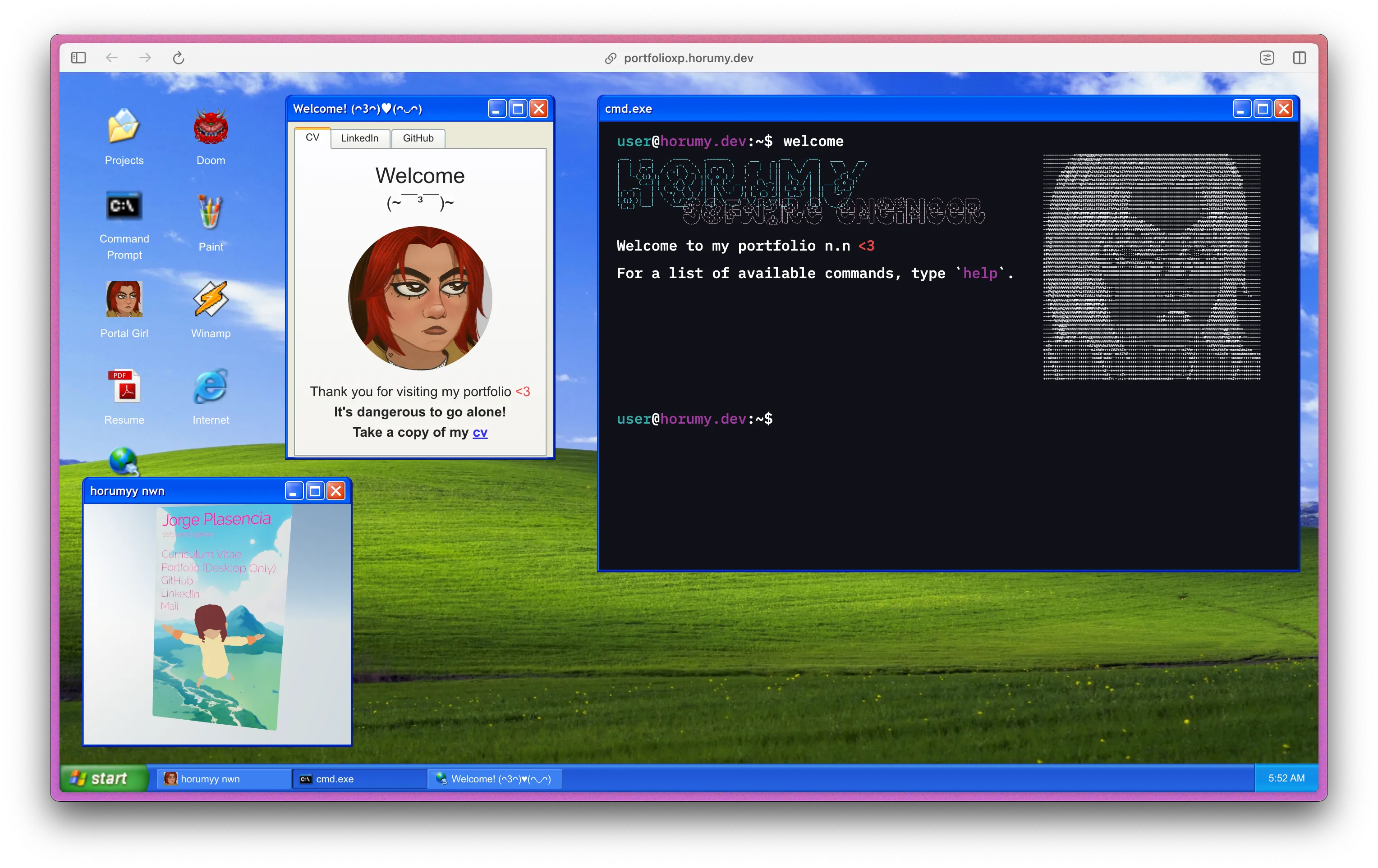
Welcome to my first ever entry in this blog ദ്ദി(• ˕ •マ.ᐟ , I really wasn’t sure about doing all this hehe, but many of you have asked me about my most recent personal project, my windows xp inspired portfolio, so that and the nice words of a fellow dev (shoutout to Jonathan) inspired me to do all of this
I’m going to try to keep this as simple as possible, but I’m not going to lie, I’m not the best at writing, so please bear with me /ᐠ > ˕ <マ.
When I got my first job using react (it was actually my first time doing something other than a to-do list 😅), I had an assignment where I was asked to use a library to drag a <div/> in a UI
When it started to work, I immediately thought of the windows desktop, and how cool it would be to make a website that resembled it
At the time I didn’t have the skills to do it, but I kept the idea in my head, and every now and then I would think about it
Fast forward to a few months ago, I was looking for a new freelancing job, and I thought it would be a good idea to have a portfolio website, so I decided to give it a try
This led me to two things:
- The amazing work of ShizukuIchi at winXP (which was a great source of inspiration)
- This windows styled css library called XP.css
The beginning
I started by creating a simple “window manager” (it was just a <div/> that could be dragged around the screen), this was made posible using react-rnd, none of the buttons worked, but it was a start, and hey, it looked cool! (thanks to XP.css)
WARNINGThe following code is sooo bad, sowwy, so don’t take it as a reference /ᐠ > ˕ <マ
The way I managed this at the time was horrible, I didn’t even use a state manager for the windows, it was just an array of objects that I would map through to render the windows, but it worked, and had two states on the main App.tsx, one to manage the order of the indexes of the windows, and other to keep track of the last window that was clicked
const [indexes, setIndexes] = useState<string[]>(windows.map((window) => window.id));
const [lastClick, setLastClick] = useState<string | null>(null);
Even though it doesn’t look like it, I tried to follow some form of good practices, mostly on the way I designed my components, that’s why I decided to replicate the way shadcn/ui does it, most (if not all) of the components are based or part of this library, and I think it’s a great way to learn how to design components
Experimenting with iFrames
I had to showcase somehow the projects I’ve worked on, but I didn’t want to use images, and cloning the projects to the portfolio was out of the question, so I opted to use iFrames, since my projects are mostly web apps that have been deployed, this was a good way to show them
The first “app” I added to the portfolio wasn’t even mine, it was a web version of paint, called paint.js, but this showed me that this approach was viable, and that I could use it to showcase my projects
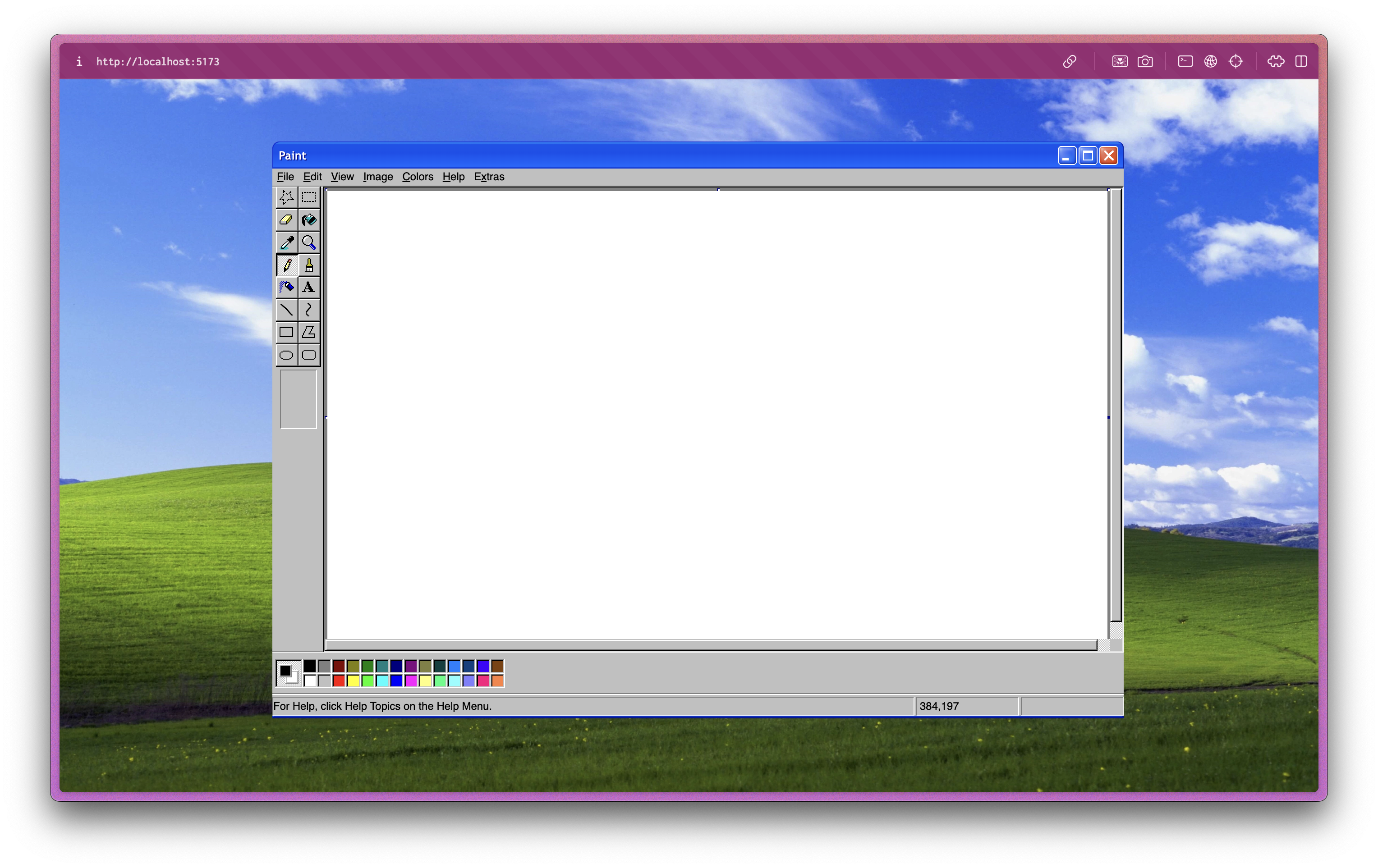
This later led me to add a few more projects, like a game I made back in 2023 with react-three-fiber, and a preview of my main site, I was really really happy with the results ≽^-⩊-^≼
Not everything could go as planned
I was so happy with the results, that I decided to show it to a few friends, and they loved it, but they also pointed out a few things that I hadn’t noticed, like the fact that the windows buttons didn’t work, and the behavior of the windows when clicking on them was a bit off, this happened because I was just replacing the last clicked window with the current one
Remember the states I mentioned earlier?
const [indexes, setIndexes] = useState<string[]>(...);
Well, I was using this state to manage the order of the windows, and the idea makes sense, the problem was the way I was updating it, I was just replacing the last clicked window with the current one, and this was causing the windows to overlap
This issue was fixed by implementing a data structure, since I wanted to keep track of the order of the windows, I decided to use a queue, and this was a great decision, thanks to the FIFO nature of the queue, the windows started to behave as expected
The buttons were simple, but I just had to take bad decisions, since I wasn’t even using TypeScript properly, I was just declaring the windows as an array of <any> objects, since I thought it would be faster to implement (and eventually create a proper type), but this led to me creating a lot of attributes that weren’t even necessary, and the buttons were one of them
const windows = [
    {
        ...
        actions: {
            minimize: () => {},
            maximize: () => {},
            close: () => {}
        }
    }
]
This was straightup bad, why would I need to pass the actions, are they going to change? No, they are not, the behavior of the buttons is always going to be the same, but it was working at the time, so I just left it like that
But we gotta remember that the way this was implemented was horrible, since I was just using a useState to manage the queue, this was causing a some sort of trouble and it was making it hard to support, a lot of props were being passed around, the state was being updated in a way that was hard to follow, and the code was just a mess (I will dedicate a whole section to refactors)
The famous start menu
I wanted to have a working start menu, and I wanted to feel good, so I decided to implement cmdk to manage the controls of the menu, since this library is barebones, I was free to implement it the way I needed, with any style I wanted
I didn’t want to make from scratch all the css for the start menu and the dock, thankfully ShizukuIchi had already done that, I just had to rewrite it from scss to tailwind classes
NOTEThis was completely optional, however since im more comfortable with tailwind, I decided to do it this way in case I wanted to make some changes
I ran into some issues, but this were mostly because I was not using the library properly, I had re-rendering issues, when I tried to open a SubMenu it would teleport for just a second to the top left corner of the screen
This issue was caused because the instance of the SubMenu was declared inside the StartMenu, and when I tried to open it, the StartMenu would re-render, and the SubMenu would be re-rendered as well, causing it to teleport to its original position, thankfully I had my very good friend Carlos to help me out, he thought me how to use the React Developer Tools to debug this issue, it was a lifesaver
Webamp made me cry a bit /ᐠﹷ ‸ ﹷ ᐟノ
When I was looking for inspiration at winXP, I saw that ShizukuIchi had implemented a web version of winamp, it instantly blew my mind, and I knew I had to have it on my portfolio
I started by looking at her code, and I realized that it was a famous project called webamp, so I decided to give it a try, and it was a nightmare, I might be stupid, but I couldn’t make it work properly with react, ShizukuIchi implemented in a way, while the OP did it in another, and I was just lost
But don’t get me wrong, I was able to render the component in a matter of minutes, the real problem was when trying to connect it to my previous implementations, the way that the minimize and close buttons worked on the windows was completely different from the way the onMinimize and onClose buttons worked on the webamp
In fact, the way the webamp component was implemented was completely different from the way I was handling the windows, so I had to make a few changes to existing functions like openWindow:
const openWindow = (window: WindowType) => {
    if (window.header === "Winamp") {
    const existingWinampWindow = windowsState.find(
        (win) => win.header === "Winamp"
    );
    if (existingWinampWindow) {
        // Handle the case where a window with header "Winamp" already exists
        setFocusedID(existingWinampWindow.id);
        return;
    }
    }
    // ... rest of the function
}
I did not only had to check if the selected app was webamp, but I also had to check if there was already a window with the header “Winamp” opened, since webamp was a singleton, and making one work with my implementation was a bit tricky, imagine having separate windows for webamp, it would be a mess (and tbh I was getting tired at this point)
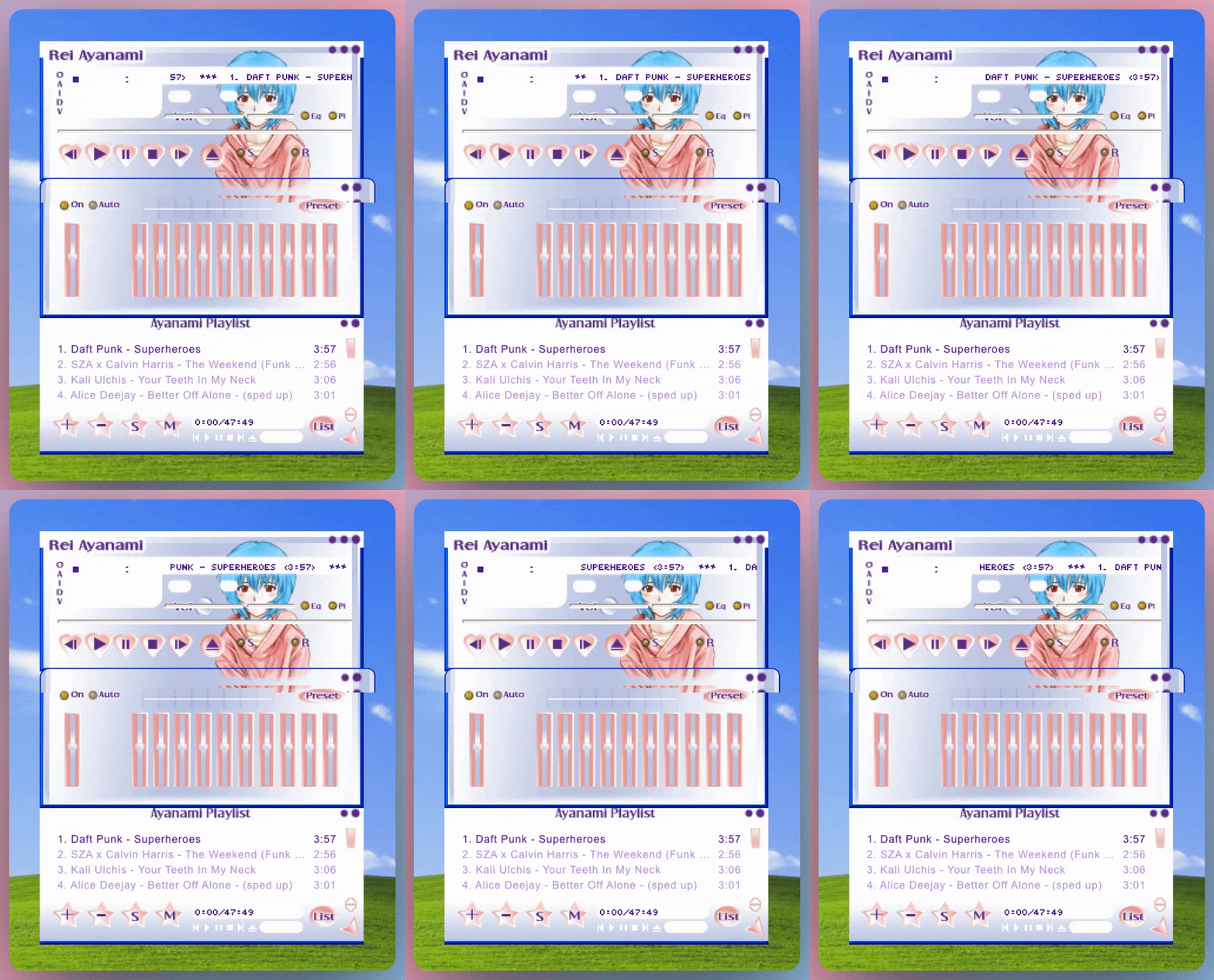
Actually everything was kind of weird, since webamp had its own way of managing itself, I had to create a isNotAWindow prop to manage the way the UI was rendered, I didn’t want to render the windows buttons or the window itself since webamp has its own buttons and window
When a window or its content was clicked, the Z index of that windows was updated to be on the very top of other windows, with webamp this was of course a mess, since the webamp component is rendered after the page is loaded, and injected into the DOM, I had to use the onMouseDown event to update the Z index of the webamp component, and search for the webamp window on the windowState
<div
    style={{
    zIndex: zIndex,
    position: "fixed",
    }}
    onMouseDown={() => {
    reorderZWindow(
        windowsState.find((window) => window.header === "Winamp")!.id
    );
    }}
    className={cn(className)}
    ref={ref}
/>
When using webamp’s buttons I had to pass a onMinimize and onClose function, but when using the previously implemented minimize() and close() functions, I got an error that caused the whole app to crash and this error popped up:
CAUTION
DOMException: Failed to execute 'removeChild' on 'Node'
I had to use the onMinimize and onClose functions, since they were in charge of handling a lot of things in the UI, like the color and number of the tabs being render on the footer, if this functions weren’t called, the webamp component would look and behave oddly compared to the rest of the windows
I was completely lost, I didn’t know what to do, I tried to look for a solution, but I couldn’t find anything, so I decided to ask for help, I joined the webamp’s discord server, the people there were really nice, and they helped me out, but we couldn’t find out what was causing the error
While trying different things and ctrl+z’ing a lot, it eventually worked, I don’t know how, why, or when, but it worked (til this day I don’t know what caused the error)
This was the last message I sent to the discord server:

Even though I was happy that it worked, I knew it was time to refactor some stuff, to get my types right, and more importantly, I needed to create a proper state manager
Refactors
When I started this project, I didn’t know what I was doing, I was just trying to make it work, and I did, but it was a mess, by this point the only thing I had change was that instead of being an array of objects, the windows were now an state of objects, but that was it
The first refactor was to create a proper type for everything that was being passed around
This is how the WindowType ended up looking like:
export type WindowType = {
  header: string;
  id: number;
  icon: string;
  isMinimized?: boolean;
  isMaximized?: boolean;
  zIndex?: number;
  children?: React.ReactElement | React.ReactElement[];
  minHeight?: number;
  size?: {
    width: number;
    height: number;
  };
  position?: {
    x: number;
    y: number;
  };
  lastPositionBeforeMaximize?: {
    x: number;
    y: number;
  };
  lastSizeBeforeMaximize?: {
    width: number;
    height: number;
  };
  minWidth?: number;
  defaultSize?: {
    x?: number;
    y?: number;
    width?: number;
    height?: number;
  };
  contentClassName?: string;
  isNotAWindow?: boolean;
  enableResizing?: {
    bottom?: boolean;
    bottomLeft?: boolean;
    bottomRight?: boolean;
    left?: boolean;
    right?: boolean;
    top?: boolean;
    topLeft?: boolean;
    topRight?: boolean;
  };
}
and this is how the AppType ended up like:
export type AppType = {
  value: string;
  title: string;
  icon: string;
  text?: string;
  size: "small" | "medium" | "large";
  children?: React.ReactElement | React.ReactElement[];
  folderName?: string;
};
The second refactor was to create a proper state manager, I didn’t want to overcomplicate things by using redux so I opted to create a react context (funny thing, this was my first time using contexts 😅)
The context was simple, it had a windows state, and a bunch of functions that helped me manage the windows, like openWindow, closeWindow, minimizeWindow, maximizeWindow, and focusWindow, this was a great decision, since I was able to remove a lot of props that were being passed around, and the code was easier to read, also sometimes I would have different implementations of the same function, and this was causing a lot of trouble
This is all the context ended up handling:
<WindowsContext.Provider
value={{
    getWindowById,
    windowsState,
    setWindowsState,
    setFocusedID,
    focusedWindowId,
    openWindow,
    closeWindow,
    minimizeWindow,
    restoreMinimizedWindow,
    maximizeWindow,
    focusWindow,
    reorderZWindow,
    resizeWindow,
    repositionWindow,
    reorderZWindowToBottom,
}}
>
{children}
</WindowsContext.Provider>
Once I was done with the context, I noticed a lot of improvements, the code was easier to read, the functions were easier to implement, some of the bugs I had were gone ≽^•༚• ྀི≼ , and made so much easier to implement the the tab for each window on the dock
And funny thing, I realized that if you handle this kind of stuff this way, chatGPT is able to understand it better, therefor, when you ask for his help, he is able to give you a better answer
Some other contexts were created, one to handle the apps available on the whole page, another one to handle folders
I. NEED. MORE. APPS. ₍^⸝⸝o ·̫ o⸝⸝ ^₎
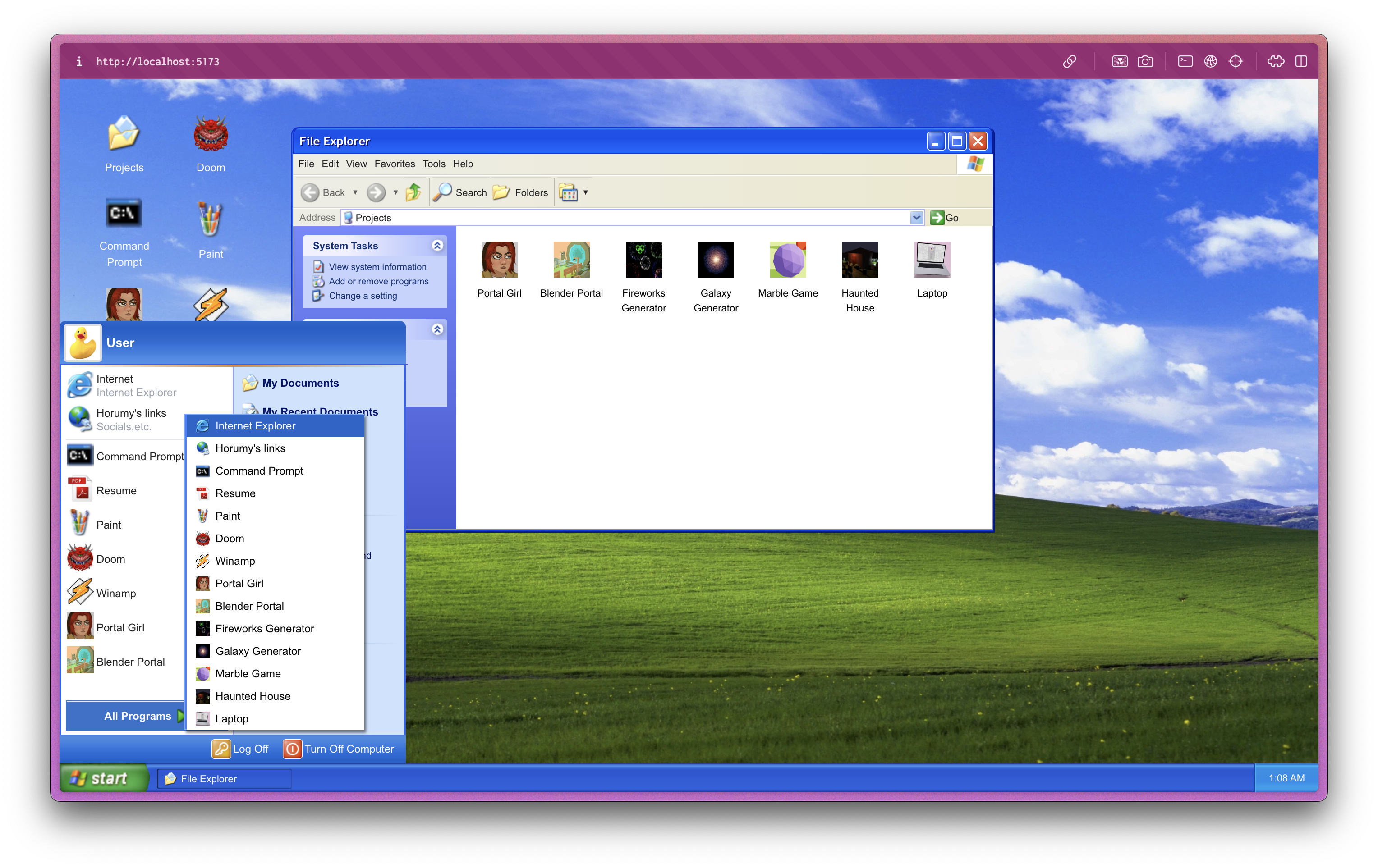
By this point, everything was almost done, I had the windows, the start menu, the dock, webamp working, and the folders, but I needed more apps, I wanted to showcase more of my projects, so I decided to add a few more
I made use of a context to handle the apps, since I wanted to have a way of opening apps from the start menu, and the desktop, also, every app had unique properties, like the icon, the name, and the component that was going to be rendered, so I needed a way to handle this
To handle the properties, I used a function called getAppByHeader() which returned the app that matched with the name of the header, for example, if the provided header was paint, the function would return the whole app object that had the header paint, this opened the door to having a lot of customization options, like having access to the icon and name, so I could render them in any way I wanted
And to handle opening apps I used a function called handleCreateWindow() which was in charge of opening the app inside of a window, with some properties that were passed to it, like size of the app and the children that were going to be rendered
I ended up having a lot of apps, most of them are mine, but I also added a few that I thought were cool, like paint.js, webamp, and some games like a copy of DOOM made in react
A working terminal?!?
I started working on the terminal on an early stage of the project, right after I had paint working, however this was a bit of a let down, since I didn’t know how to make it work, I had a few ideas, but none of them were good, so I decided to leave it as visual only terminal, that would not receive any input
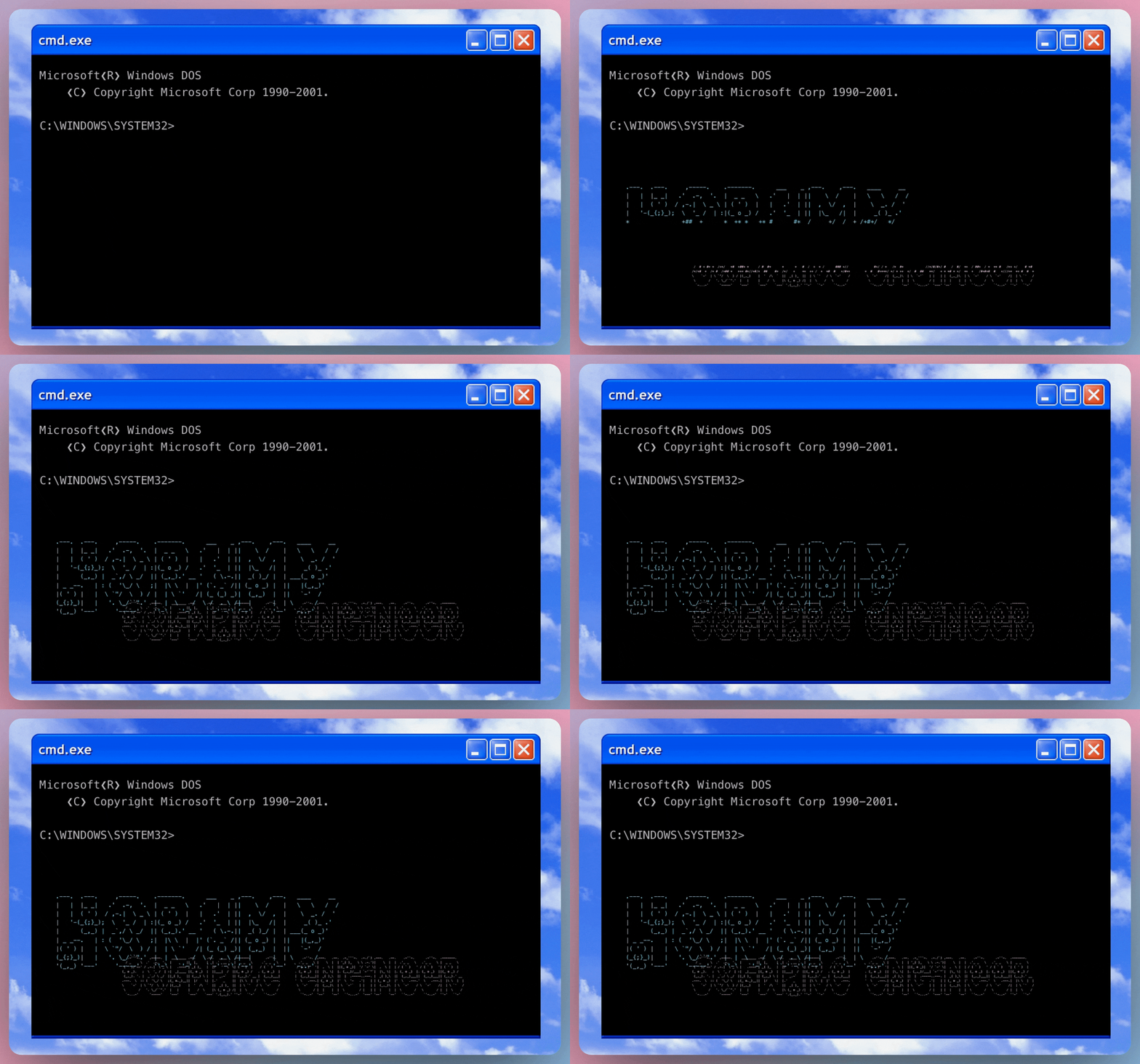
Later on I wanted to have a working terminal, so I decided to use the terminal portfolio that Sat Naing created, since it was open source, I was able to use it, and it was a great decision, the terminal was working, and it was way better than anything I could have expected, the commands are cool, and it has a cool way to open external links
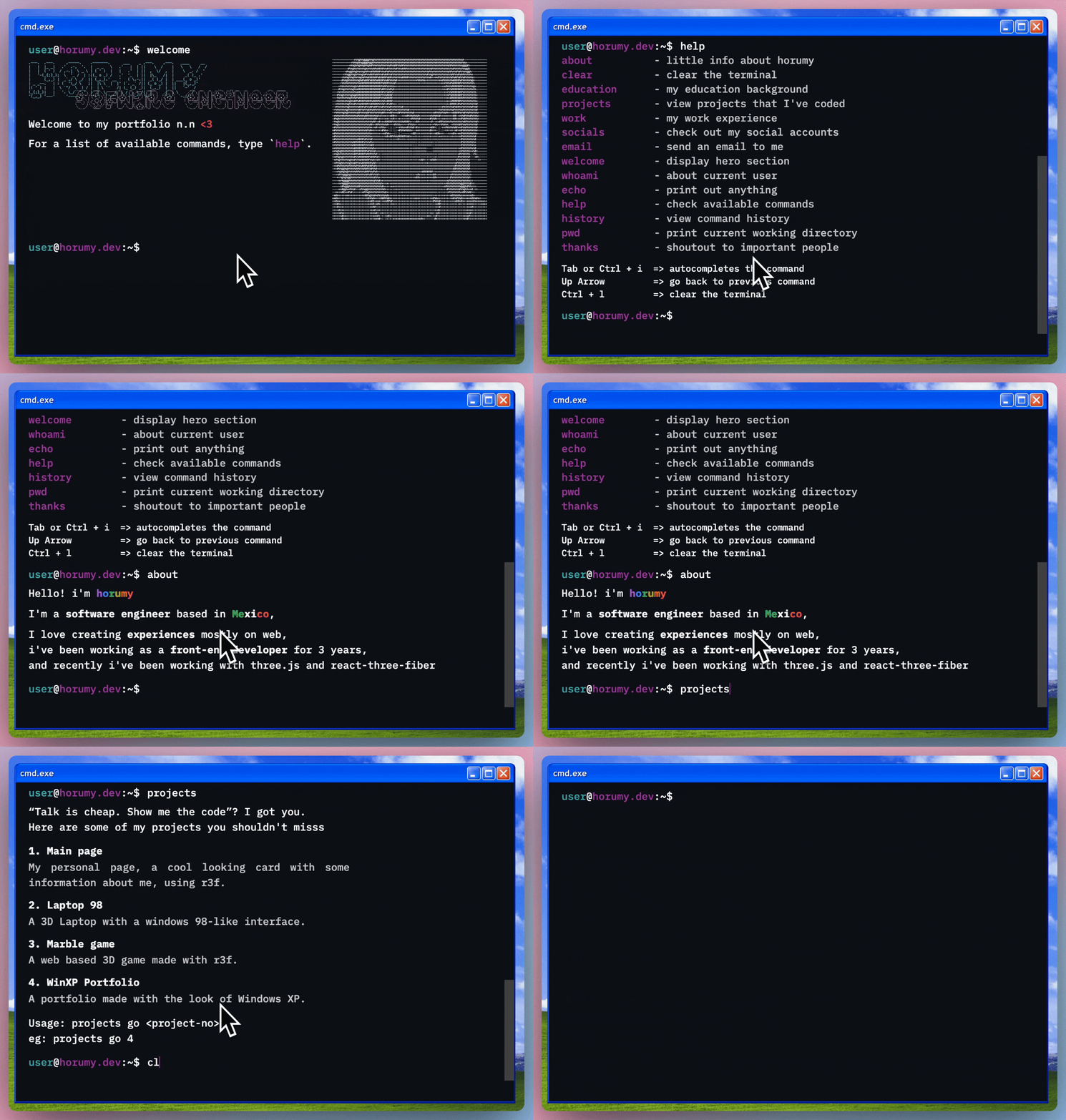
For example, if you type:
projects
A list of the projects that are available on the terminal will be shown, and if you type:
projects go <number_of_project>
The project will be opened in a new window, isn’t that cool? ≽^•༚• ྀི≼
I really recommend you to check it out, it’s an amazing project!
Folders
I wanted to showcase my projects as if they were desktop apps, but having all of them on the desktop was a bit too much (as in real life), so I decided to create a folder system, this was a great idea, since it gave the desktop a more realistic look, and it was a great way to keep the desktop organized
The folder system was simple, when you double click on a folder, it opens a new window with the content of the folder, where you can launch the project, they were styled by ShizukuIchi
Here silly, have some more lil’ bugs
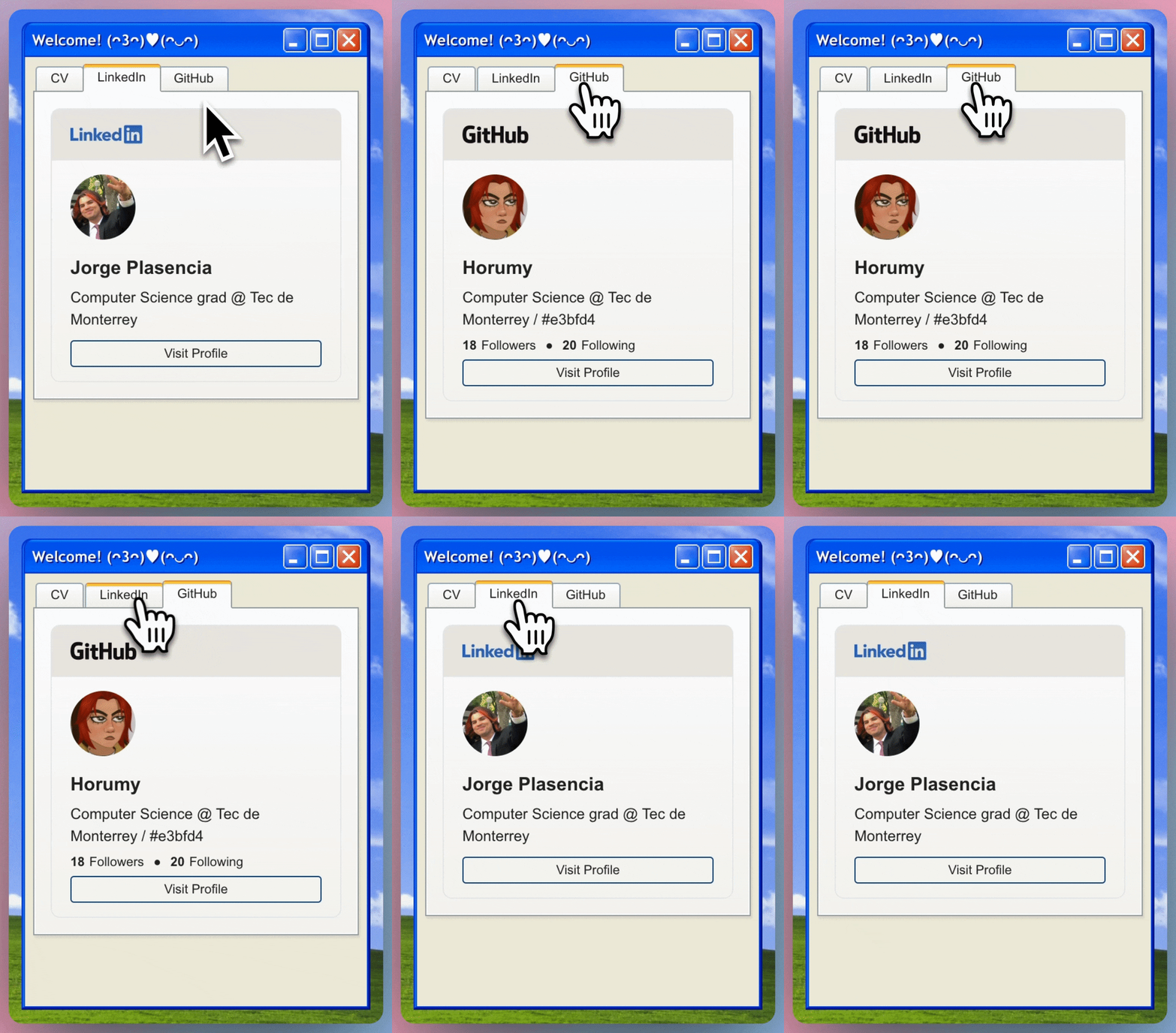
One bug I encountered that wasn’t that big of a deal, but it was a bit annoying, was that, when trying to show my LinkedIn badge, it would show a blank page, and give me a CORS error, this IS (since they haven’t fixed it yet) linkedin’s fault
This was a bit annoying since it was working at the beginning of the project, and since the badge had a predetermined style, I made a copy of it using tailwindcss from scratch to show my github profile aswell, and now that the original badge wasn’t working, I had a copy of a badge that wasn’t going to be used
What I ended up doing was hardcoding most of the content of the linkedin badge (since they don’t provide and API to get your details as github does ._.) and show it as a normal card, this was a bit of a let down, but it was the only way to show my linkedin profile (once I get +500 connections I would only have to worry about changing my description and profile picture)
Final thoughts
I’m happy that I was able to finish this project, ever since I had the idea of making a windows xp inspired portfolio, I knew it was going to be a challenge, but I didn’t know it was going to be this fun, and being finally able to complete this challenge feels amazing, I learned a lot on the way, good practices, contexts, etc. I’m really happy with the results, and I hope you like it as much as I do
I made a video showcasing the whole project, you can check it out here!
Thank you for reading this, if you got any questions please feel free to reach me at hello@horumyy, and I hope to see you in the next one ദ്ദി(• ˕ •マ.ᐟ